


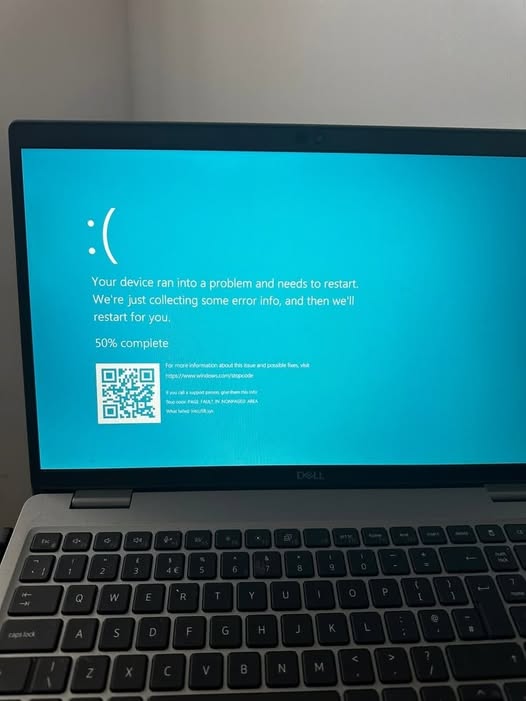
There are few things more frustrating than turning on your computer and it freezes within minutes. You restart it, and the same thing happens again or it refuses to boot.
This is not a random issue. Your system is warning you that something is wrong.
A common case looks like this:
“My PC freezes shortly after startup. I tried Windows restore and it worked for a while, but now it freezes again and sometimes does not even boot.”
If this sounds familiar, here is what is likely happening and what you should do.
Why Windows Restore Did Not Fix It
When Windows restore works temporarily, it means the real problem was not fixed. Restore only rolls back system settings. If the issue comes back, the root cause is deeper, often hardware related.
Common Causes of PC Freezing After Startup
- Failing hard drive or SSD
This is the most common cause. A bad drive leads to freezing, failed boot, and short-term fixes that do not last. - Overheating
If your PC runs for some time before freezing, heat may be the issue. Dust, bad fans, or worn thermal paste can cause this. - Corrupt system files
Frequent forced shutdowns can damage Windows files and make the problem worse over time. - Faulty RAM
Bad memory causes random freezing because the system cannot process data properly. - Malware
Some malware stays active even after system restore and continues to affect performance.
What You Should Do
- Back up your files
If your system still works, copy your important files to an external drive or cloud storage immediately. - Check your hard drive
Use CrystalDiskInfo to confirm if your drive is healthy. Replace it if it shows warning signs. - Monitor temperature
Use HWMonitor to check your CPU temperature. High temperatures indicate overheating. - Test your RAM
Run Windows Memory Diagnostic to check for memory issues. - Scan for malware
Use Malwarebytes in Safe Mode to scan and remove threats. - Reinstall Windows if needed
If the issue continues, a clean installation can help rule out software problems.
When to Get Professional Help
Stop troubleshooting if your PC no longer boots, your drive is failing, or overheating continues. At this stage, you risk losing your data.
ABSmiley ICT Consulting Limited helps diagnose and fix these issues properly. We serve clients in Lagos and across Nigeria.
If your PC is freezing or not booting, do not wait until it stops working completely.
Contact us today and get your system fixed the right way.
Have you experienced this before? Share what worked for you in the comments.