


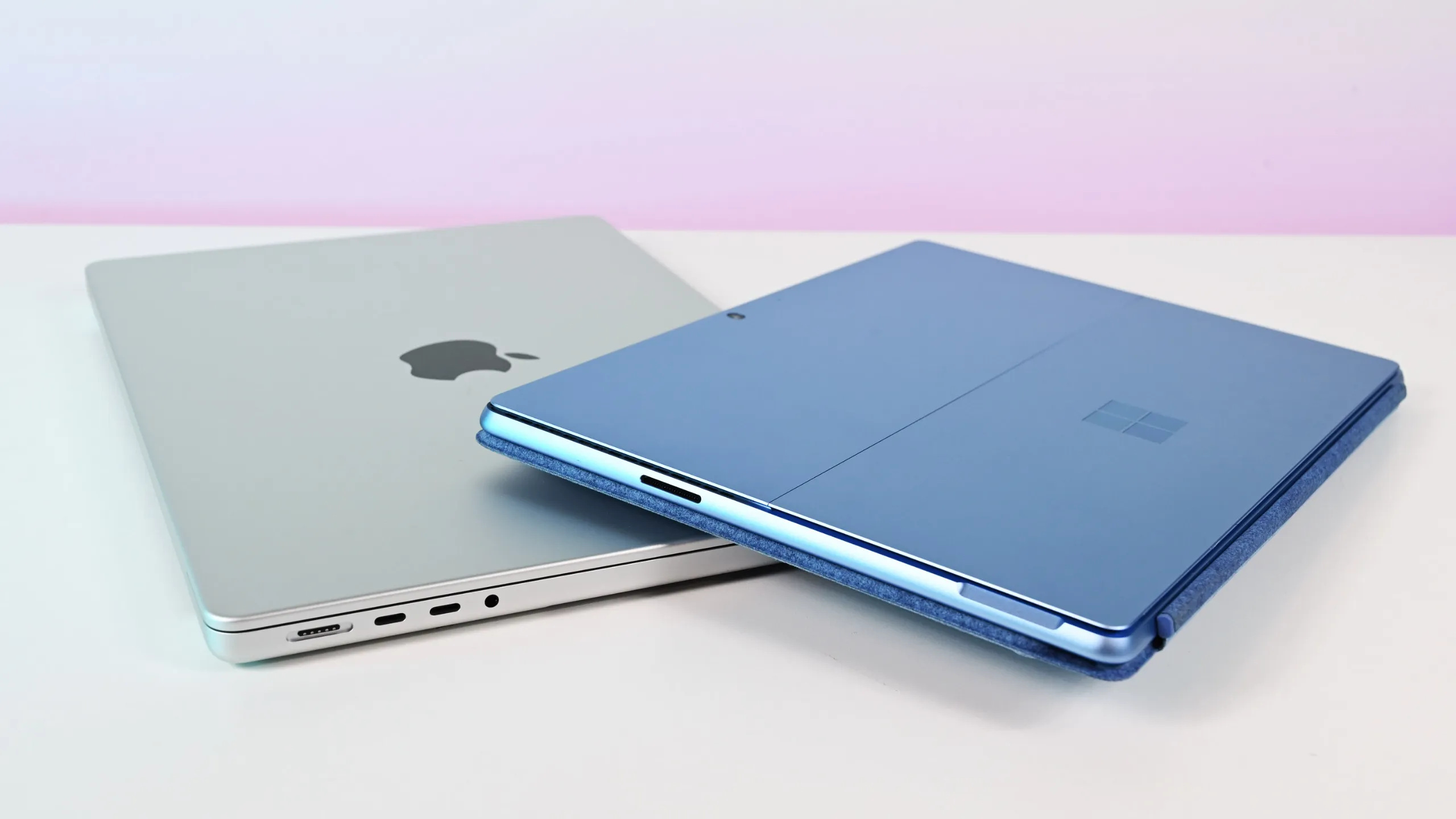
Choosing between Microsoft’s Surface Laptop and Apple’s MacBook Air isn’t as straightforward as it used to be. Both are lightweight, premium laptops designed for students, professionals, and everyday users who want powerful performance without carrying a bulky machine.
As outlined by Lifewire, both laptops offer impressive battery life, AI-powered features, premium designs, and similar pricing. The right choice ultimately depends on your workflow and the ecosystem you’re already invested in.
Quick Comparison
| Feature | Microsoft Surface Laptop | MacBook Air |
|---|---|---|
| Starting Price | $999 | $1,099 |
| Operating System | Windows 11 | macOS Sequoia |
| AI Assistant | Microsoft Copilot | Apple Intelligence |
| Processor | Snapdragon X Plus/X Elite | Apple M3 |
| Battery Life | Up to 22 hours (claimed) | Up to 18 hours |
| Display Sizes | 13.8-inch & 15-inch | 13.6-inch & 15.3-inch |
| Touchscreen | Yes | No |
| Weight | 2.96–3.67 lbs | 2.7–3.3 lbs |
Performance and AI
Both laptops are built for modern AI-powered computing, but they take different approaches.
The Microsoft Surface Laptop uses Qualcomm’s Snapdragon X Plus and X Elite processors, delivering excellent performance for multitasking, productivity, and AI workloads. It also comes with Microsoft Copilot, one of the most mature AI assistants available today.
The MacBook Air is powered by Apple’s M3 chip, which continues Apple’s reputation for delivering fast, efficient performance while consuming less power. For single-core tasks such as web browsing and everyday productivity, the M3 remains one of the fastest laptop processors.
When it comes to AI, Microsoft currently has the advantage thanks to Copilot’s broader range of productivity features, while Apple Intelligence is still expanding its capabilities.
Memory and Storage
Microsoft offers more memory options for power users.
Surface Laptop
- 16GB, 32GB, or 64GB RAM
- 256GB, 512GB, or 1TB SSD
MacBook Air
- 8GB, 16GB, or 24GB unified memory
- 256GB, 512GB, 1TB, or 2TB SSD
Although Apple’s maximum RAM is lower, macOS is highly optimized and generally requires less memory for smooth performance.
Design and Portability
Both laptops are designed for people who travel frequently.
The MacBook Air has a slight advantage in portability because it is:
- Lighter
- Thinner
- Built with Apple’s premium aluminium chassis
Microsoft claims up to 22 hours of battery life for the Surface Laptop, while Apple rates the MacBook Air for up to 18 hours. However, real-world testing often shows Apple’s battery performance remaining consistently strong throughout everyday use.
Display
Both laptops feature bright, high-resolution displays that are excellent for work, entertainment, and content creation.
One feature immediately sets them apart.
The Microsoft Surface Laptop includes a touchscreen, allowing users to interact directly with Windows using touch gestures.
The MacBook Air does not support touchscreen input, as Apple continues to rely on its trackpad and keyboard experience.
If touchscreen functionality matters to you, the Surface Laptop is the clear winner.
Connectivity and Features
Both laptops include:
- 1080p Full HD webcam
- Dolby Atmos audio support
- Bluetooth connectivity
- Multiple USB ports
The Surface Laptop supports the newer Wi-Fi 7 standard, while the MacBook Air currently supports Wi-Fi 6.
Apple’s speaker system remains one of the best available on any laptop, especially on the 15-inch model, which features six speakers with Spatial Audio support.
Security
Security is another area where both companies take different approaches.
Microsoft Surface
- Windows Hello facial recognition
- Windows security features
- Greater exposure to malware due to Windows’ popularity
MacBook Air
- Touch ID fingerprint authentication
- Strong built-in privacy protections
- Generally considered less vulnerable to viruses and malware
For users who prioritize security and privacy, Apple’s ecosystem continues to enjoy a strong reputation.
Which Laptop Should You Buy?
Choose the Microsoft Surface Laptop if you:
- Prefer Windows 11
- Want a touchscreen laptop
- Need Microsoft Copilot AI features
- Use Android devices
- Want more RAM options
Choose the MacBook Air if you:
- Already own an iPhone or other Apple devices
- Want a lighter and slimmer laptop
- Prefer macOS
- Value premium speakers and build quality
- Prioritize long-term ecosystem integration
Final Verdict
Both the Microsoft Surface Laptop and the MacBook Air are excellent ultra-portable laptops, and neither is a bad choice.
The Surface Laptop stands out with its touchscreen, Copilot AI integration, and Windows flexibility, making it a great option for professionals and users invested in Microsoft’s ecosystem.
The MacBook Air shines with its premium design, excellent battery optimization, powerful M3 processor, outstanding speakers, and seamless integration with Apple’s ecosystem.
As noted by Lifewire, if you’re already using Windows or Android devices, the Surface Laptop is likely the better fit. If you’re part of Apple’s ecosystem with an iPhone or Mac, the MacBook Air will provide the smoothest experience.
For more technology news, gadget comparisons, AI updates, and buying guides, visit our blog at https://www.absmiley.com/blog/.