


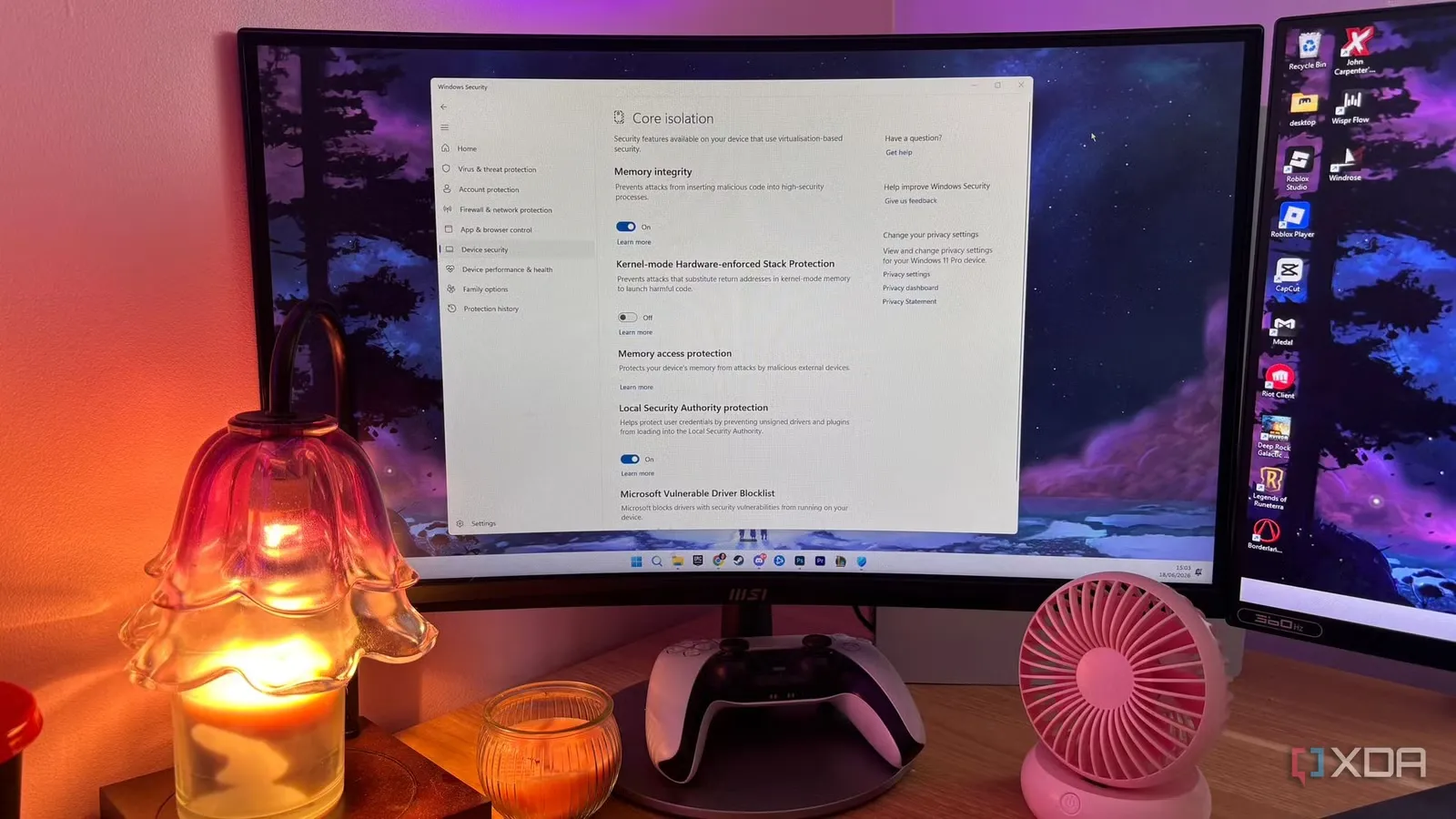
If you’ve invested in a powerful gaming PC but still experience annoying micro stutters during gameplay, the problem may not be your graphics card or processor. Instead, a hidden Windows 11 security feature could be limiting your gaming experience. Improving Windows 11 gaming performance might be as simple as changing a setting that takes less than a minute.
Modern gaming systems are designed to deliver high frame rates, but many players notice random frame drops and inconsistent gameplay, especially in demanding open-world titles. As reported by XDA, Windows 11 enables Core Isolation and Virtualization-Based Security (VBS) by default on clean installations. While these features enhance system security, they can introduce additional CPU overhead that affects gaming performance.
What Is Core Isolation?
Core Isolation is a Windows 11 security technology that protects your system by isolating critical processes in a secure virtual environment. One of its main components is Memory Integrity, also known as Hypervisor-Protected Code Integrity (HVCI).
Memory Integrity checks that kernel-level drivers are properly signed before allowing them to run. This extra verification helps defend against advanced malware attacks that target hardware drivers. However, the process adds a virtualization layer between Windows and your hardware.
For everyday users, this added security is beneficial. For gamers, it can sometimes result in increased latency that contributes to gameplay stuttering.
Why It Affects Gaming
Games rely on fast communication between the CPU, GPU, memory, and storage. Every additional layer of security processing can increase latency, especially during scenes that require rapid asset loading or heavy CPU scheduling.
Instead of increasing your average FPS, disabling Memory Integrity often improves your 1% low FPS. These low frame rates are responsible for the sudden freezes and hitching that make gameplay feel less responsive, even when the average FPS remains high.
Many gamers report smoother gameplay after disabling Core Isolation, particularly in CPU-intensive games.
How to Disable Memory Integrity
If you understand the security trade-offs and want to test whether this improves your gaming experience, follow these steps:
- Open the Start Menu and search for Windows Security.
- Select Device Security.
- Click Core Isolation Details.
- Turn off the Memory Integrity toggle.
- Approve the administrator prompt.
- Restart your computer.
After restarting:
- Press Win + R.
- Type
msinfo32and press Enter. - Scroll through System Information.
- Confirm that Virtualization-Based Security shows as “Not Enabled.”
If VBS still appears enabled, revisit the settings and ensure Memory Integrity remains turned off.
Will It Increase FPS?
Don’t expect a dramatic increase in average frame rates.
Instead, the biggest improvement is usually smoother gameplay. Better 1% low FPS means fewer sudden frame-time spikes, less input lag, and a more consistent gaming experience.
For many competitive and enthusiast gamers, these improvements are more valuable than a higher average FPS number.
Is It Safe?
Disabling Core Isolation removes one layer of protection against sophisticated malware that attempts to exploit kernel-level drivers.
If your PC is mainly used for gaming, you:
- Keep Windows Defender enabled.
- Download software only from trusted sources.
- Use a secure home network.
- Regularly install Windows updates.
Then the security risk may be relatively low, although it is never completely eliminated.
Users who handle sensitive business information or frequently install unknown software should carefully consider whether the performance gain is worth reducing system protection.
Windows 11 was designed with enterprise security in mind, which means some features prioritize protection over maximum performance. For gamers using dedicated gaming PCs, disabling Core Isolation may help eliminate frustrating micro stutters and improve overall gameplay smoothness without requiring any hardware upgrades.
As stated by XDA, while the change may not dramatically increase your average FPS, the improvement in frame consistency can make games feel significantly more responsive. Before making the adjustment, weigh the security implications and decide whether the trade-off fits your usage.
For more interesting news and articles, checkout our blog page https://www.absmiley.com/blog/